
Mac, iPad & iPhone support Mornington Peninsula
Friendly Apple device support across the Mornington Peninsula for Mac computers, MacBooks, iPhones and iPads. We can help with macOS setup and troubleshooting, Apple ID and iCloud configuration, iPhone and iPad setup, iMessage issues, photo transfers, and moving your data from an old Apple device to a new one. Onsite and remote support is available to help keep your Apple devices working smoothly.
No Fix- No Fee !
What Apple Support We Provide at Home
Mac & MacBook Setup
Get your Mac or MacBook ready to use with help setting up macOS, user accounts, essential settings, updates, apps, printers, and other everyday requirements.
iPhone & iPad Setup
We can set up your new iPhone or iPad, configure essential settings, connect your Apple ID and iCloud, install apps, and help get your device ready for everyday use.
Apple Data Transfer & Migration
Moving to a new Mac, iPhone, or iPad? We can help transfer your photos, contacts, documents, apps, and other important data from your old Apple device to your new one.
Apple ID & iCloud Support
Having trouble with your Apple ID, iCloud, passwords, or syncing? We can help configure your account, connect your devices, and troubleshoot common iCloud and Apple ID issues.
macOS & Apple Software Troubleshooting
Having problems with macOS, apps, updates, or system settings? We can troubleshoot software issues, fix common errors, and help get your Mac running smoothly again.
Photos, Contacts & File Transfer
Need to move important photos, contacts, videos, or files between Apple devices? We can help transfer and organise your data between iPhones, iPads, Macs, and other compatible devices.
Book our Expert Technician
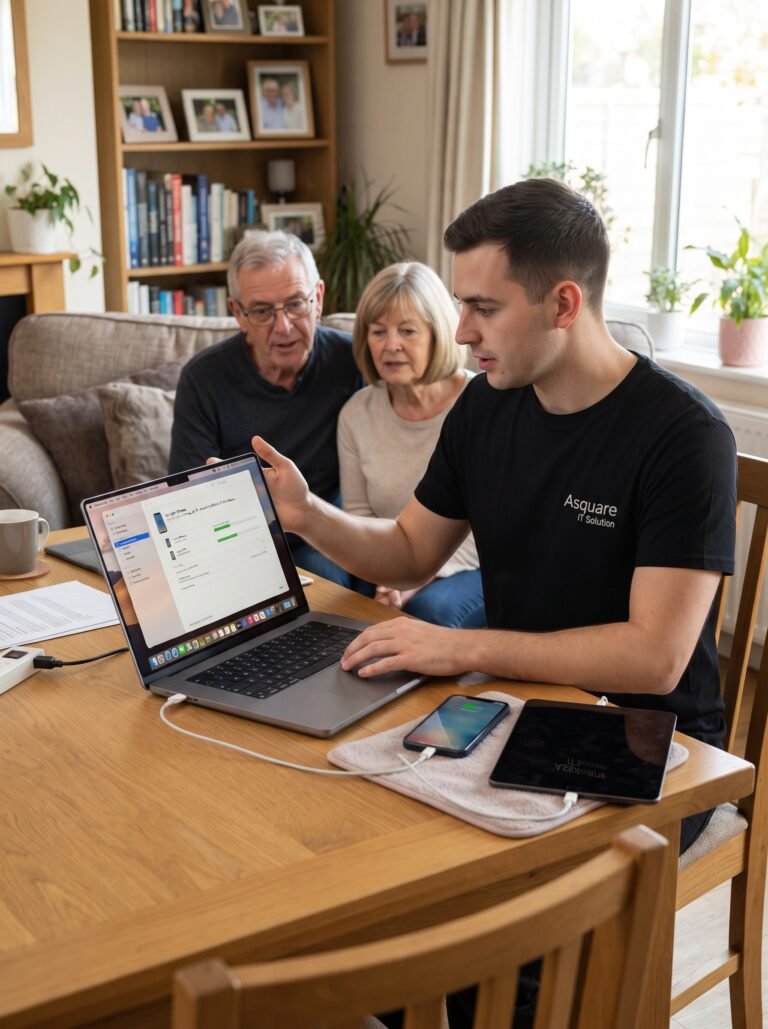
Having technology problems? Our friendly IT specialists are here to help you get everything running smoothly. We provide reliable on-site and remote support, with flexible service available 7 days a week. Book your appointment today and let us take care of your tech needs.
What Apple Support We Provide at Home
We can help with macOS installation and tune-ups, iCloud and Apple ID setup, iPhone and iPad configuration, Family Sharing, iMessage and FaceTime troubleshooting, and Mail setup for iCloud, Gmail, and other providers. We can also transfer photo libraries and personal data, set up AirDrop and AirPlay, migrate your information from an old Mac or iPhone to a new device, and provide practical guidance to help you get the most from your Apple devices.
Why Choose Asquare IT Solutions for Apple Support?
Friendly, Practical Apple Support
Apple devices should make life easier, not more complicated. We provide clear, practical support for Mac, iPhone and iPad users, helping with setup, troubleshooting, accounts, software, data transfers, and everyday Apple issues without unnecessary technical jargon.
Help With Your Apple Ecosystem
Whether you use a single iPhone or several Apple devices together, we can help make sure they work smoothly. From iCloud and Apple ID setup to photo syncing, AirDrop, AirPlay, Mail, Family Sharing, and device migration, we can help connect and configure your Apple ecosystem.
Local Support for Mac, iPhone & iPad
We provide Apple device support for homes across the Mornington Peninsula. Whether you’re setting up a new device, moving from an old one, or dealing with a problem on your Mac, iPhone or iPad, we’ll explain what we’re doing and help you get back to using your technology confidently.
No Queue, No Waiting, No pressing numbers
Fill Form or Call
Simply fill out the form or give us a call, and we’ll arrange a convenient time for one of our expert technicians to help you – whether it’s a computer, laptop, printer, Wi-Fi, email account and much more!
Common Apple related problems
Common Apple Problems We Fix for Mornington Peninsula Residents
We help with everyday Mac, iPhone and iPad problems, from setup and account issues to software errors, syncing problems, connectivity issues and device-to-device transfers. Our local support helps keep your Apple devices working smoothly at home.
Can’t Access Your Apple ID or iCloud
Having trouble signing in to your Apple ID or accessing iCloud? We can help troubleshoot account sign-in issues, device settings, iCloud syncing, and other common Apple account problems, while guiding you through the appropriate recovery steps.
New iPhone or iPad Setup from an Old Device
Upgrading to a new iPhone or iPad? We can help transfer your photos, contacts, messages, apps, settings, and other important information from your old device, then configure your new device so you're ready to use it.
iMessage or FaceTime Won’t Activate
If iMessage or FaceTime isn't activating or working correctly, we can check your Apple ID, device settings, internet connection, and other common causes to help get your messaging and calling features working again.
Mac Running Slowly After an Update
If your Mac has become slow after a macOS update, we can check system settings, storage, background processes, startup items, and other common causes of reduced performance. We’ll help identify the issue and improve your Mac’s everyday performance where possible.
Frequently Asked Questions
Yes. We can help with many older iPhone, iPad and Mac models, including setup, troubleshooting, data transfers and general support. Some older devices may no longer support the latest Apple software or features, but we can explain your options and help you get the most from the device.
Yes. We can help transfer your documents, photos, apps, user accounts, and other important data from your old Mac to a new one using suitable Apple migration tools. We’ll also check the transferred data and help make sure your new Mac is ready to use.
Yes. We can guide you through Apple’s official account recovery process and help troubleshoot common sign-in issues. We cannot bypass Apple’s security measures, but we can explain the available recovery steps and help you work through them.
Yes. We can set up your new iPhone or iPad, transfer your information from an old device using Apple’s Quick Start where appropriate, configure your Apple ID, Face ID and security settings, and help set up features such as Family Sharing. We can also give you a simple walkthrough so you feel comfortable using your new device.
Mornington
Moorooduc
Mount Eliza
Mount Martha
Somerville
Tyabb
Hastings
Bittern
Crib Point
Balnarring
Balnarring Beach
Merricks North
Merricks Beach
Rye
Tootgarook
St Andrews Beach
Sorrento
Blairgowrie
Portsea
Capel Sound
Dromana
Safety Beach
Rosebud
Main Ridge
Cape Schanck
Red Hill
McCrae
If you have any questions about our services, please give us a call